Gallery Page
Overview
Section titled “Overview”The Gallery Page is managed as a separate content collection within the CMS at cms.aerialps.com.
Adding new images is straightforward: upload or select multiple images from the WordPress Media Library, add the appropriate alt text, and save the changes. The images will then be displayed automatically on the Gallery Page of the main website.
Gallery Page: View the Gallery Page
Follow the steps below to add new images to the Gallery Page.
Step 1: Open the Gallery Collection
Section titled “Step 1: Open the Gallery Collection”Log in to the WordPress Admin Panel at cms.aerialps.com.
From the sidebar, navigate to Gallery. Select Gallery itself rather than Add New.
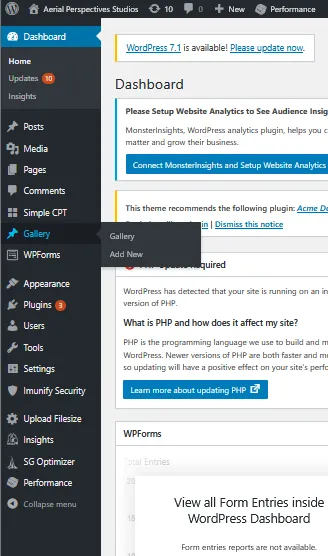
Step 2: Open the Existing Gallery
Section titled “Step 2: Open the Existing Gallery”You will see a collection called Auto Draft. This is the existing Gallery collection and is the main source of content for the Gallery Page.
Click Edit to open it.
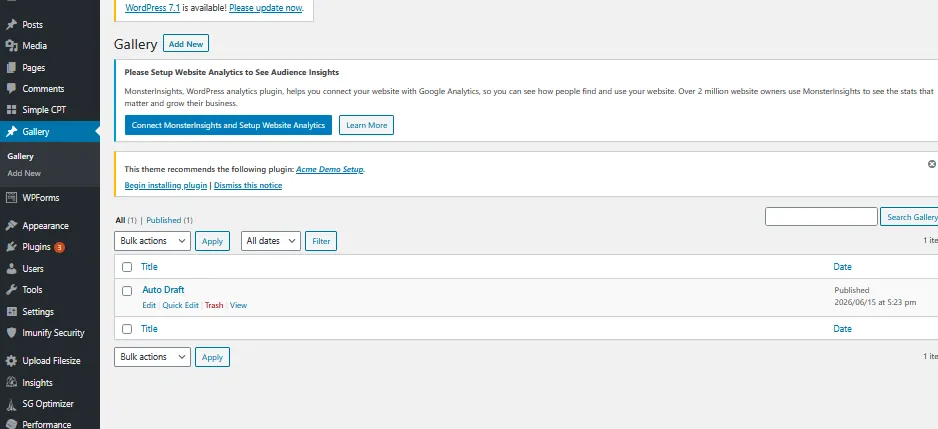
Step 3: Add New Images
Section titled “Step 3: Add New Images”Inside the Gallery collection, scroll to the very last image currently displayed.
The last image provides the option to add additional images to the collection.
No additional page sections or text will be displayed on the website. Only the images added to this collection are used by the Gallery component.
Click Upload to upload new images, or select Media Library to choose images that have already been uploaded to WordPress.
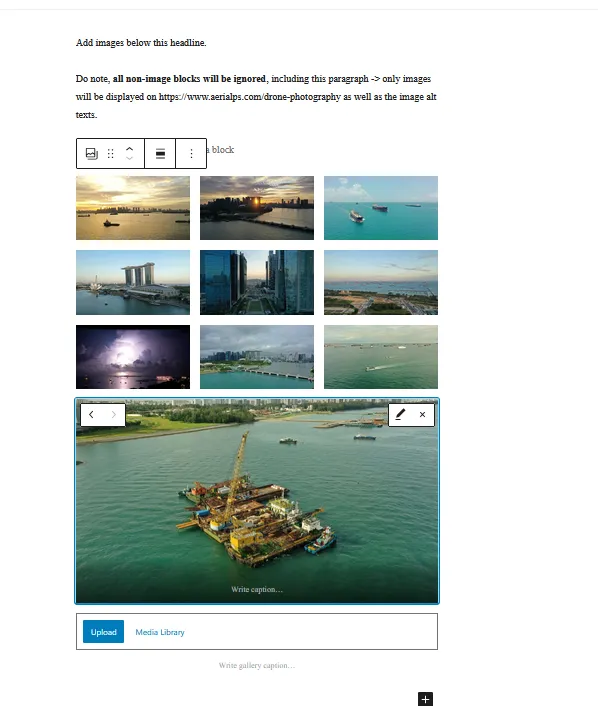
Step 4: Configure the Images
Section titled “Step 4: Configure the Images”After uploading or selecting your images, review the images that should be included in the gallery.
For each image, add appropriate alt text. Alt text is important for both accessibility and SEO.
You can also select or deselect individual images to control which images are included on the Gallery Page.
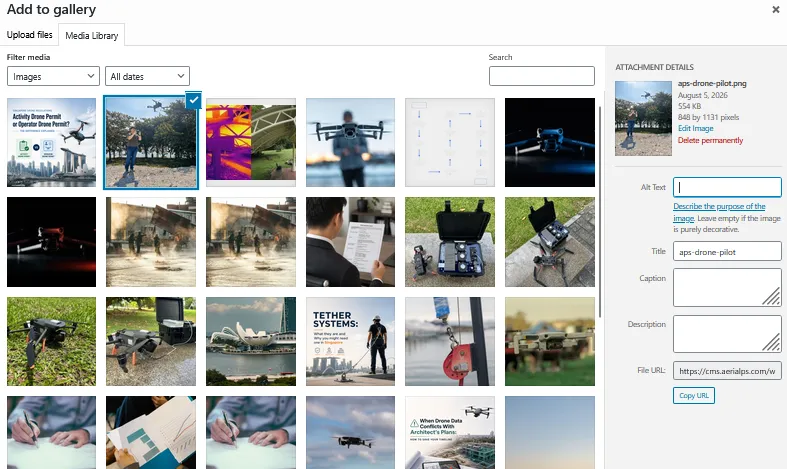
Step 5: Save the Changes
Section titled “Step 5: Save the Changes”Once you have finished adding and configuring the images, click Update in the top-right corner of the WordPress editor.
This will save the changes and update the images displayed on the live Gallery Page.

Step 6: Verify the Changes
Section titled “Step 6: Verify the Changes”Once the Gallery collection has been updated, the new images will be available on the live website immediately.

You can view the updated Gallery Page here: