Analytics Overview
AerialPS uses two primary analytics tools, both managed through a single Google Tag Manager (GTM) container:
- Microsoft Clarity
- Google Analytics
Google Tag Manager
Section titled “Google Tag Manager”GTM acts as the orchestration layer for all analytics scripts. Rather than initialising each tool individually and managing consent separately, everything flows through a single GTM snippet.
For further reading: tagmanager.google.com
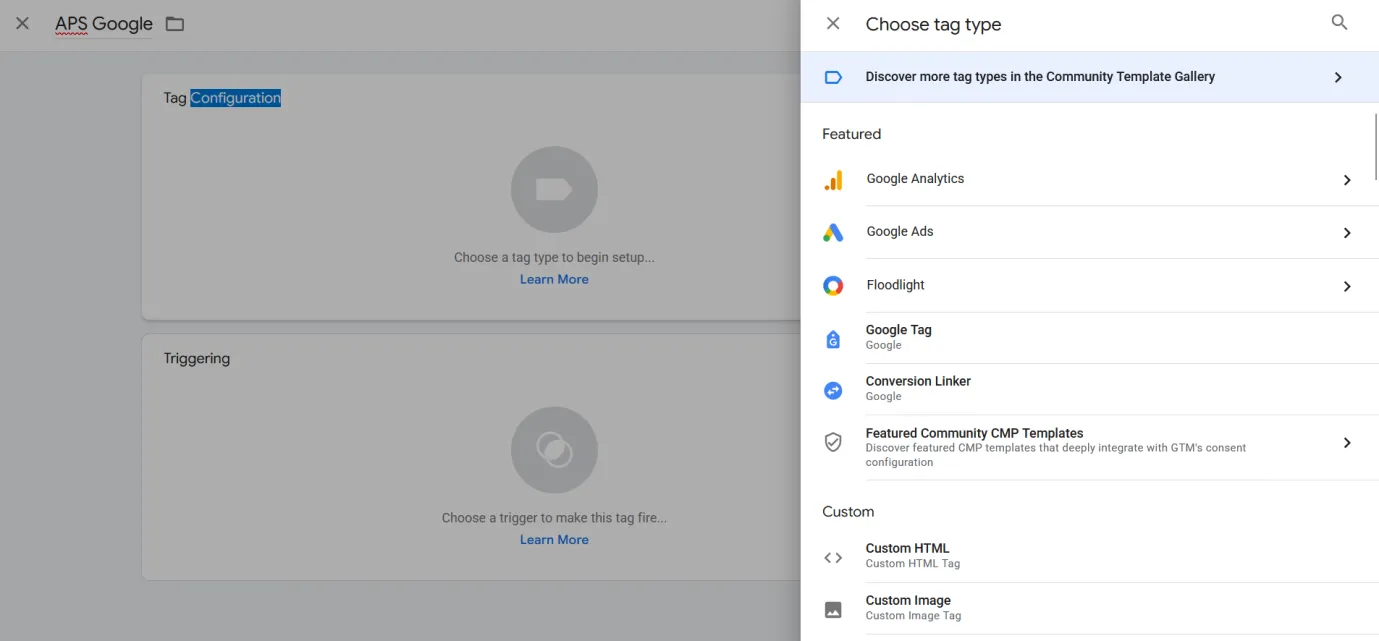
Consent management
Section titled “Consent management”Consent is centralised inside the <BlackBoxLayout /> component. All cookies on AerialPS are non-essential marketing cookies, so no analytics fire until the user explicitly accepts.
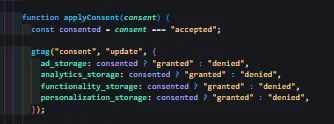
This means:
- No scripts break the site if consent is declined
- No functionality is gated behind consent
- The GTM container handles start/stop for all tools automatically
Consent storage
Section titled “Consent storage”User consent is persisted in localStorage. This is intentional — it is cheap, efficient, and persistent across sessions, so users are not shown the consent banner on every visit.
Reference: MDN - Window.localStorage
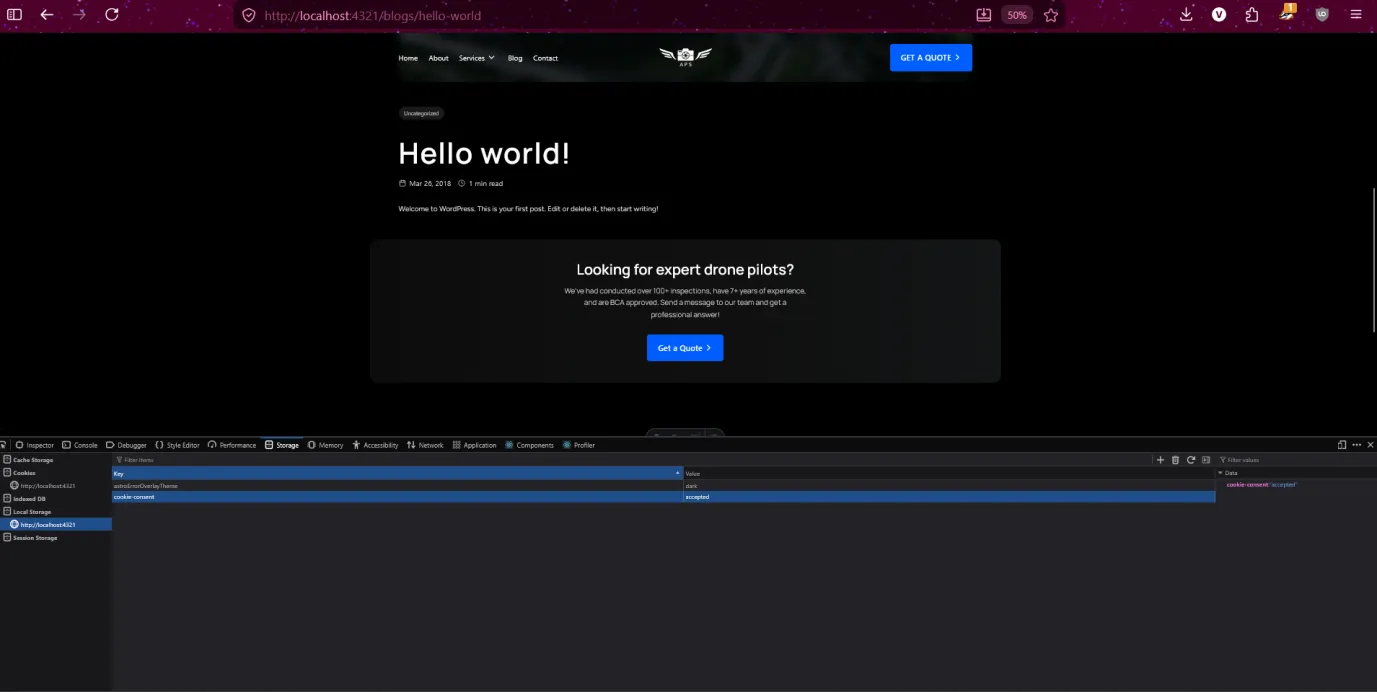
Specific implementation details are in the code repository inside <BlackBoxLayout />.
Data available per tool
Section titled “Data available per tool”Microsoft Clarity
Section titled “Microsoft Clarity”- Session Recordings
- Heatmaps
- Session Events
- Insights
- AI Overviews
- Errors
Google Analytics
Section titled “Google Analytics”- Ranking Status (aggregated by Google regardless of consent)
- Session Graphs
Cloudflare
Section titled “Cloudflare”- Raw visitor counts (repeat, bots, non-bots)
- Bandwidth usage
- Page performance statistics (speed, LCP, cache hits)
Priority for tracking progress
Section titled “Priority for tracking progress”For business and marketing purposes, prioritise Microsoft Clarity and Google Analytics. Cloudflare data is secondary and infrastructure-focused.